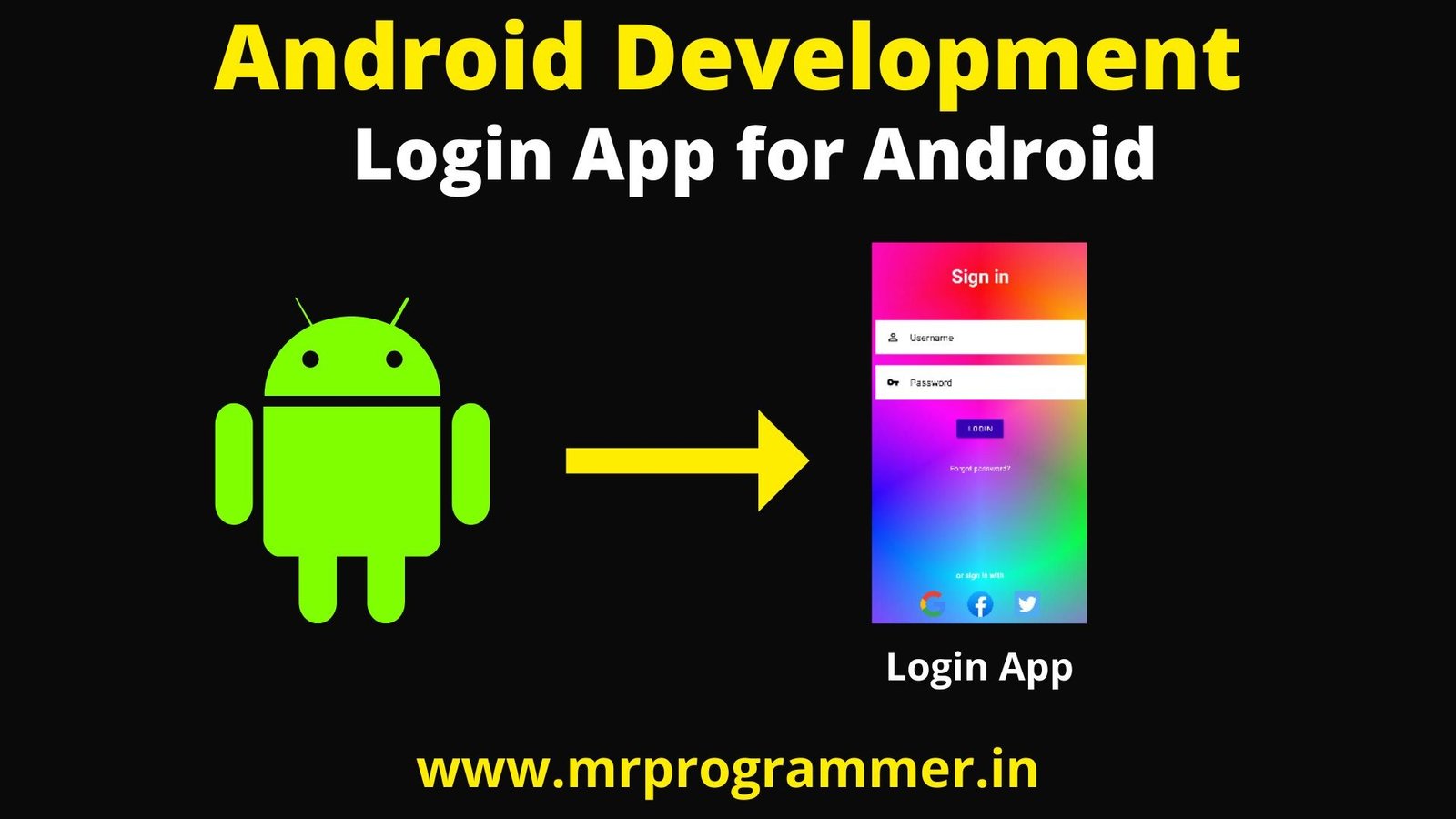
Hey Developers, In this Post We will be Starting With Our Android App Development Series In this Tutorial We will be Creating a Basic Login App Using Java & Android Studio. This app just Ask for Username & Password and Once you Have Entered Click On Login.
Also Read: Android Development Roadmap | A Guide to Start Android Development
If You Don’t Have Android Studio Installed go to Download Android Studio & Download & Install It.

So Lets Proceed With Our Today Project, So After Installing all the prerequisites Click New Project>>MyApp and Click On the Finish Button. Now First of All, we will Design Our App Through XML.
Designing the App
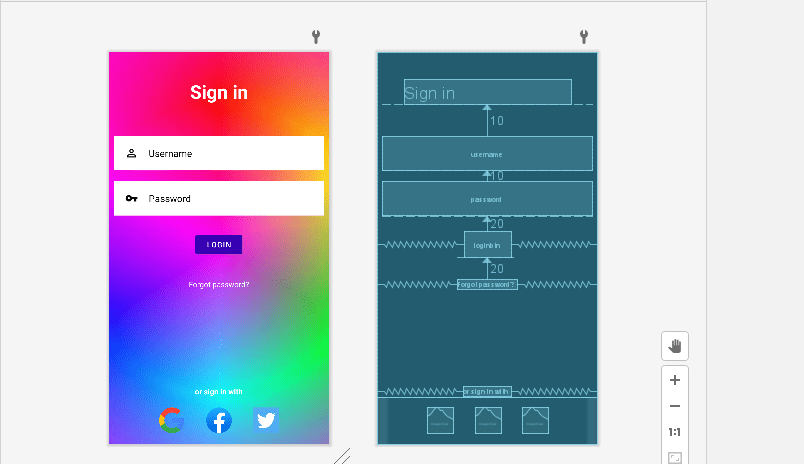
activity_main.xml File
<?xml version="1.0" encoding="utf-8"?>
<RelativeLayout xmlns:android="http://schemas.android.com/apk/res/android"
    xmlns:app="http://schemas.android.com/apk/res-auto"
    xmlns:tools="http://schemas.android.com/tools"
    android:layout_width="match_parent"
    android:layout_height="match_parent"
    android:background="@drawable/bg"
    tools:context=".MainActivity">

  <TextView
      android:id="@+id/signin"
      android:layout_width="match_parent"
      android:layout_height="wrap_content"
      android:layout_marginStart="50dp"
      android:layout_marginTop="50dp"
      android:layout_marginEnd="50dp"
      android:layout_marginBottom="50dp"
      android:gravity="center"
      android:text="Sign in"
      android:textColor="@color/white"
      android:textSize="35dp"
      android:textStyle="bold" />

  <EditText
      android:id="@+id/username"
      android:layout_width="match_parent"
      android:layout_height="wrap_content"
      android:layout_below="@id/signin"
      android:layout_marginStart="10dp"
      android:layout_marginTop="10dp"
      android:layout_marginEnd="10dp"
      android:layout_marginBottom="10dp"
      android:background="#fff"
      android:drawableLeft="@drawable/ic_baseline_person_outline_24"
      android:drawablePadding="20dp"
      android:hint="Username"
      android:padding="20dp"
      android:textColor="@color/black"
      android:textColorHint="@color/black" />

  <EditText
      android:id="@+id/password"
      android:layout_width="match_parent"
      android:layout_height="wrap_content"
      android:layout_below="@id/username"
      android:layout_marginStart="10dp"
      android:layout_marginTop="10dp"
      android:layout_marginEnd="10dp"
      android:layout_marginBottom="10dp"
      android:background="#ffff"
      android:drawableLeft="@drawable/ic_baseline_vpn_key_24"
      android:drawablePadding="20dp"
      android:hint="Password"
      android:inputType="textPassword"
      android:padding="20dp"
      android:textColor="@color/black"
      android:textColorHint="@color/black" />

  <com.google.android.material.button.MaterialButton
      android:id="@+id/loginbtn"
      android:layout_width="wrap_content"
      android:layout_height="wrap_content"
      android:layout_below="@id/password"
      android:layout_centerHorizontal="true"
      android:layout_marginStart="20dp"
      android:layout_marginTop="20dp"
      android:layout_marginEnd="20dp"
      android:layout_marginBottom="20dp"
      android:backgroundTint="@color/design_default_color_primary_dark"
      android:text="Login" />

  <TextView
      android:id="@+id/forgotpass"
      android:layout_width="wrap_content"
      android:layout_height="wrap_content"
      android:layout_below="@id/loginbtn"
      android:layout_centerHorizontal="true"
      android:layout_marginStart="20dp"
      android:layout_marginTop="20dp"
      android:layout_marginEnd="20dp"
      android:layout_marginBottom="20dp"
      android:text="Forgot password?"
      android:textColor="@color/white" />

  <TextView
      android:id="@+id/others"
      android:layout_width="wrap_content"

      android:layout_height="wrap_content"
      android:layout_above="@id/socialicons"
      android:layout_centerHorizontal="true"
      android:text="or sign in with"
      android:textColor="@color/white"
      android:textStyle="bold" />


  <LinearLayout
      android:layout_width="match_parent"
      android:layout_height="wrap_content"
      android:id="@+id/socialicons"
      android:layout_alignParentBottom="true"
      android:gravity="center">


    <ImageView
        android:layout_width="48dp"
        android:layout_height="48dp"
        android:layout_margin="20dp"
        android:src="@drawable/google"/>
    <ImageView
        android:layout_width="48dp"
        android:layout_height="48dp"
        android:layout_margin="20dp"
        android:src="@drawable/facebook"/>
    <ImageView
        android:layout_width="48dp"
        android:layout_height="48dp"
        android:layout_margin="20dp"
        android:src="@drawable/twitter"/>

  </LinearLayout>


</RelativeLayout>
Logics For App
Once Our App’s Design Is Ready Lets go to he Logic Building Of our App so For That we will use Java. Go to Java>>com.example.appname>>MainActivity.java
package com.example.thisapp;

import androidx.appcompat.app.AppCompatActivity;

import android.os.Bundle;
import android.view.View;
import android.widget.Button;
import android.widget.TextView;
import android.widget.Toast;

import com.google.android.material.button.MaterialButton;

public class MainActivity extends AppCompatActivity {

    @Override
    protected void onCreate(Bundle savedInstanceState) {
        super.onCreate(savedInstanceState);
        setContentView(R.layout.activity_main);


        TextView username =(TextView) findViewById(R.id.username);
        TextView password =(TextView) findViewById(R.id.password);

        MaterialButton loginbtn = (MaterialButton) findViewById(R.id.loginbtn);

        //admin and admin

        loginbtn.setOnClickListener(new View.OnClickListener() {
            @Override
            public void onClick(View v) {
                if(username.getText().toString().equals("user1") && password.getText().toString().equals("123")){
                    //correct
                    Toast.makeText(MainActivity.this,"Logged In Sucessfully",Toast.LENGTH_SHORT).show();
                }else
                    //incorrect
                    Toast.makeText(MainActivity.this,"Failed to Login, Try Again!",Toast.LENGTH_SHORT).show();
            }
        });


    }
}
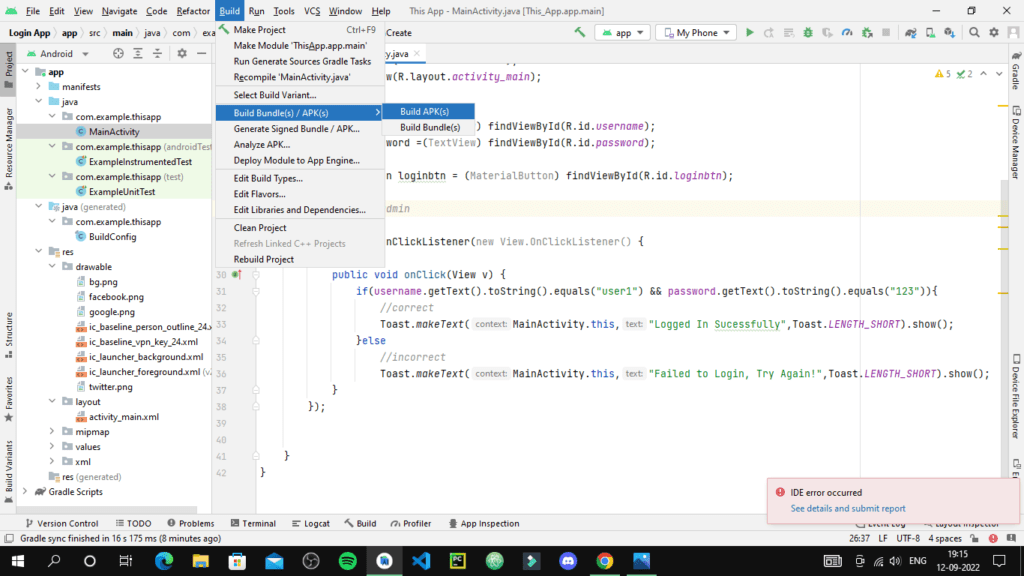
After You are Done with Designing & Logics for Your App Convert your App into .apk File, So go to Build>>Build Bundle(s)/APK(s)>>Build APK(s)
And Once Your APK is Created Click On locate Button to Locate your App APK
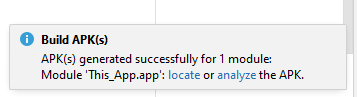

You Will Get You APK File, Share this APK to Your Friends & Family and Tell them You are a Developer Now!, So this was it for this Blog See you In the Next One Till Keep Coding Keep Exploring!

We believe that everyone has the potential to learn to code, and we are committed to making that happen. Our courses are designed to be engaging and interactive, and we offer a variety of learning paths to meet the needs of all learners.
We are also committed to providing our learners with the support they need to succeed, and we offer a variety of resources to help learners learn at their own pace.
If you are interested in learning to code, we encourage you to check out our courses. We are confident that you will find our content to be high-quality, valuable, and makes sense.
- What is Python? A Beginner-Friendly Introduction with Real-World Examples – July 4, 2026
- 5 AI Tools That Replace Stack Overflow (2026 Guide for Developers) – April 2, 2026
- I Tried ChromeOS Flex After Switching From Windows 10 – October 13, 2025
Related posts:
 App Vs Web Development | Which One Is Best?2 min read
 Typing Animation Using HTML & CSS3 min read
 Password Validation Using JavaScript3 min read
 QR Code Generator In Python1 min read
 Password Cracker Using Python | Crack Passwords Using Python1 min read
 React vs Angular | Which One You Should Go For?5 min read
 Variables In Python | Python Tutorial #41 min read
 What are Components In ReactJS | ReactJS Tutorial #63 min read
Leave a Reply
You must be logged in to post a comment.